When Everything Is Equal, Nothing Is.

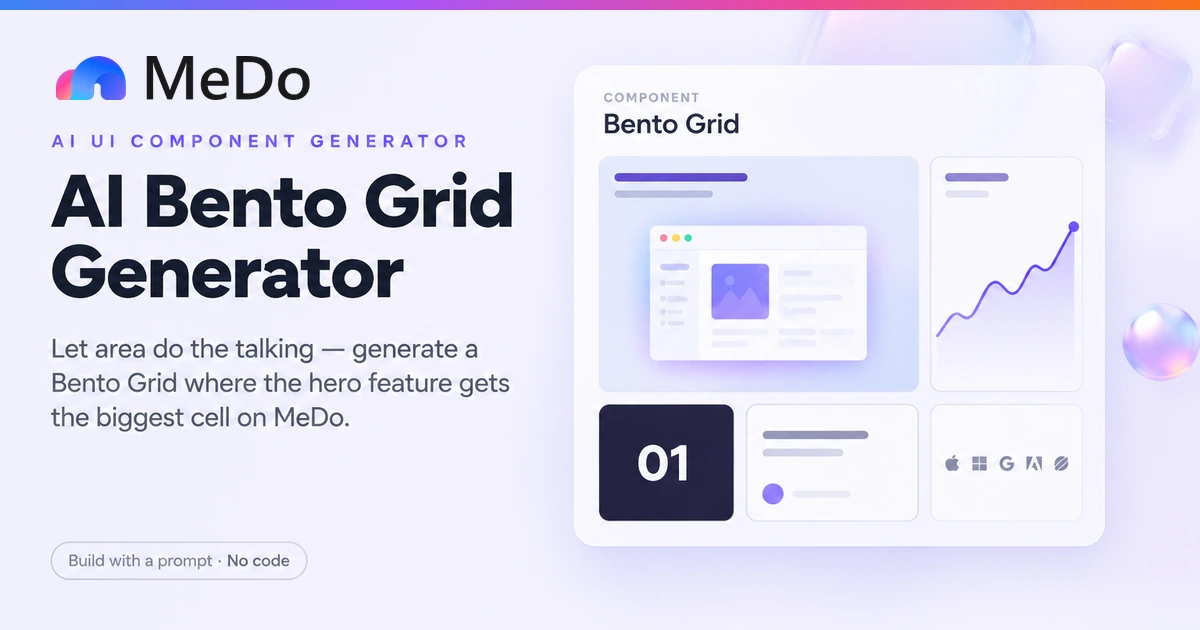
Describe your product's story and MeDo generates a bento grid — one large hero cell that carries the narrative, smaller cells that carry the detail, and the freedom to mix a screenshot, a live stat, and a customer quote inside one asymmetric layout. Unlike a uniform feature grid, the layout itself is the argument.

Bento Grid
Bento Grid

Area Is the Loudest Voice on the Page — a Bento Grid Speaks With It

A uniform feature grid makes an accidental claim: six identical cards tell the visitor that all six features matter equally, which is never true, and forces the headline to do all the prioritizing alone. A bento grid makes prioritization structural. The hero cell — large, unbordered, carrying the screenshot — is read first because it is biggest, and no copy needs to shout. The small cells then function as footnotes with texture: one number, one voice, one integration list, each a single idea. That asymmetry is also what makes mixed media coherent in a way a uniform grid cannot manage — a screenshot, a live chart, a dark stat tile, and a quote have completely different densities, and equal-sized cells turn that into visual chaos, while varied spans give each medium the footprint its content actually needs. The discipline runs in both directions: a bento grid with five hero cells is a uniform grid that spent its budget badly, and one with no clear hero has rearranged its equality rather than fixed it. Choose the one cell that tells the story first; everything else is supporting evidence.

4 個模板

可以產生的 Bento Grid 模板

每個模板都是真實的提示詞,而非截圖。複製到任何 AI 編輯器,或在 MeDo 中執行,直接取得 React + Tailwind 程式碼。

LandingProduct Story

Screenshot Hero Bento

The canonical layout: a 2x2 screenshot hero, a chart cell, a stat, a quote, and a logo list — one viewport that tells the whole product story.

Create a bento grid for a SaaS landing page on a 4-column by 2-row desktop grid. Hero cell spans 2 columns and 2 rows, top-left: a 20px semibold headline, a one-line description, and a product screenshot with a soft shadow on a zinc-50-to-white gradient, no border. Right of it, a 1x2 tall cell with an upward-trending chart. Bottom row: a 1x1 stat cell ("14k+ designers") in white text on zinc-950, a 1x1 quote cell with two italic sentences and a 24px initials avatar, and a 1x1 integration cell with five grey logos. All non-hero cells: rounded-2xl, 1px zinc-200 border, 24px padding, one idea each. Tablet: 2 columns with the hero spanning both; mobile: single column ordered hero, chart, stat, quote, logos. No cell combines two content types.

在 MeDo 中試試
AI ProductAI Dark Bento

Dark Keynote-Density Grid

The developer-tool keynote look: near-black canvas, a model-demo hero cell, and benchmark, latency, and adoption tiles packed around it at high information density.

Create a dark bento grid section for an AI product landing page: zinc-950 section background, 3-column by 2-row desktop grid with 12px gaps — tighter than a standard bento, keynote density. Hero cell spans 2x2: a live-looking model response demo, terminal-style, in monospace with a thin zinc-800 chrome and a blinking cursor animation (disabled under prefers-reduced-motion). Remaining cells: "p95 latency 340ms" in white on a zinc-900 tile with the number at 32px semibold; a benchmark cell with three horizontal comparison bars in emerald-400 versus zinc-700 baselines; a "2.1M prompts/day" adoption tile; and a 1x2 tall cell with a three-line code snippet for the API. All tiles rounded-xl with 1px zinc-800 borders, 20px padding, no gradients. Mobile: single column, hero first, then benchmark, latency, snippet, adoption.

在 MeDo 中試試
LaunchLaunch Changelog

Launch-Day Feature Bento

For a release announcement: the flagship feature owns the hero cell in motion, and every other shipped item is reduced to one tile with one line.

Create a bento grid announcing a product launch, 3-column by 3-row desktop grid with a header row above it: a 40px bold line "What shipped today" and a one-sentence subheading. Hero cell spans 2 columns and 2 rows: the flagship feature shown as an animated product capture with a play control, headline above it in 20px semibold. Six 1x1 cells, one shipped item each: a version number, a small before/after comparison, a single stat ("3x faster exports"), a one-line new integration, a one-line mobile note, and a link tile reading "Read the full changelog" with an arrow. All 1x1 cells: rounded-2xl, 1px zinc-200 border, 20px padding, title in 15px semibold plus one 13px zinc-500 line maximum. Mobile: hero first, then link tile, then remaining cells; tablet: 2 columns with the hero spanning both.

在 MeDo 中試試
CreativePortfolio Mosaic

Work-Sample Bento for a Studio

A visually-led bento where full-bleed work samples in varied sizes are themselves the argument — the layout demonstrates the compositional judgment the studio sells.

Create a bento grid for a design studio homepage, 4-column by 3-row desktop grid with 16px gaps and no cell borders — images bleed to rounded-2xl edges. Two large work-sample cells (one spanning 2x2, one 2x1) carry the strongest portfolio pieces as full-bleed images with a bottom-left gradient scrim and a 15px white project-name overlay. Three 1x1 cells: a work sample, a dark tile with "12 years, 140 projects" in white 28px semibold, and a client-logos tile in grey. One 1x2 tall cell holds a two-line studio philosophy quote in 18px light serif. Cells keep a consistent corner radius and gap; variety comes only from span and media. On hover, work-sample cells scale their image 1.03 over 300ms with the overlay dimming slightly; keyboard focus reproduces the hover state. Tablet: 2 columns; mobile: single column ordered largest-sample, philosophy, stat, remaining samples, logos.

在 MeDo 中試試

如何自訂你的 Bento Grid

Decide the hero cell before anything else

Pick the single cell that carries the product story — usually the screenshot of the core workflow — and give it the dominant span. If you cannot name the hero cell, you have a feature list, not a bento grid, and the layout will read as scattered regardless of spans.

One idea per cell, one medium per idea

A cell holds a stat, or a quote, or a logo row — never a stat and a quote stacked. Mixed media works across cells, not within them. The moment a cell needs a subheading to organize itself, split it into two.

Use span grammar, not magic numbers

Ask for explicit col-span and row-span per cell plus defined reflow behavior at tablet and mobile, rather than hoping the grid balances itself. Say which cells survive the collapse and in what order — the mobile stack is a new layout, not a shrunken one.

Differentiate the hero cell visually, not just in size

The hero cell should drop the border the other cells share and carry a gradient or image background instead. Size alone declares importance quietly; size plus the absence of the shared chrome declares it unmistakably.

誰在使用 Bento Grid 組件

SaaS landing page feature showcase

A screenshot-carrying hero cell flanked by a stat, a quote, and a logo list — the whole product story compressed into one viewport-height section below the fold.

Product launch page

A launch-day bento where the hero cell shows the new flagship feature in motion and the small cells enumerate the rest of the changelog, each reduced to one tile.

AI product landing page

A dark-themed bento with a model-output demo in the hero cell and benchmark numbers, latency stats, and a customer quote in the surrounding tiles — the density keynote format AI startups favor.

Design tool or portfolio homepage

A visually-led bento mixing full-bleed work samples, a client logo cell, and an availability stat, where the asymmetric sizing itself demonstrates compositional skill.

不同網站的 Bento Grid 方案

同一個 bento grid 組件,針對它所在網站的類型作調整。

01 / 04

SaaS Landing Pages

The post-fold story section: screenshot hero cell plus stat, quote, and integration tiles, compressing what used to be three scrolling sections into one asymmetric viewport.

Bento Grid 的風格與變體

挑選與頁面其餘部分相襯的變體,然後產生它。

01 / 04

Light Borderless Hero

White page, hairline-bordered small cells, and a borderless gradient hero cell that drops the shared chrome. The quietest hierarchy — importance declared by size and the absence of a border.

在 React、Next.js、Vue 與 Svelte 中使用 Bento Grid

React、Next.js、Vue 3、SvelteKit、Astro 或純 HTML —— 同一個 bento grid,六種接入方式。

01 / 03

React Bento Grid

Each cell carries its own span classes as data, so the layout is one array and a map — reordering the story means reordering objects, not restructuring markup.

src/components/BentoGrid.tsx

const cells = [
  { id: 'hero',    span: 'col-span-2 row-span-2', content: <HeroShot /> },
  { id: 'chart',   span: 'row-span-2',            content: <TrendChart /> },
  { id: 'stat',    span: '',                      content: <StatTile value="14k+" label="designers" /> },
  { id: 'quote',   span: '',                      content: <QuoteTile /> },
  { id: 'logos',   span: '',                      content: <LogoRow /> },
]

export function BentoGrid() {
  return (
    <div className="grid grid-cols-1 gap-4 sm:grid-cols-2
                    lg:grid-cols-4 lg:grid-rows-2">
      {cells.map((c) => (
        <div key={c.id}
             className={`rounded-2xl border border-zinc-200 p-6
                          lg:${c.span || 'col-span-1'}`}>
          {c.content}
        </div>
      ))}
    </div>
  )
}

如何把 Bento Grid 加入專案

四個步驟,從挑選 bento grid 模板到推上生產環境。

01~30min

Name the Hero Cell First

Write down the one thing a visitor must understand about your product — usually the core workflow on screen. If you cannot name it, resolve that before generating; the entire bento layout hangs on this decision and every span follows from it.

02~1hr

Write the Supporting Cells as Single Ideas

List four to six supporting facts, each reduced to one medium: one stat with its number, one quote with its author, one logo row. Cut anything that needs two media or a subheading — those are sections, not cells.

03~3min

Generate in MeDo

Describe the desktop grid shape, each cell's span and content, and the tablet and mobile stacking order explicitly. MeDo returns the layout as React + Tailwind; refine by conversation — "taller quote cell", "dark stat tile", "swap logos for a second stat" — until the hierarchy reads at a glance.

04~10min

Squint Test at Three Widths and Ship

Blur your eyes at desktop: does your gaze land on the hero cell first without reading anything? Then check the tablet reflow keeps the hero dominant and the mobile stack leads with it. Adjust spans until the squint test passes, then publish.

關於 Bento Grid 的常見問題

Is a bento grid just a feature grid with uneven cells?

The difference is intent, not geometry. A feature grid is a parallel list: N features, equal cards, no implied ranking — the right choice when the visitor is meant to compare. A bento grid is a hierarchy: one cell is the story, the rest are evidence, and the area distribution is doing the prioritizing that a uniform grid leaves to the headline. If your six features genuinely are equal in importance, keep the uniform grid; forcing them into a bento just means lying about a ranking you do not have. The bento earns its asymmetry when one thing genuinely leads.

How many cells should a bento grid have?

Five to seven cells with exactly one hero. Below five, the asymmetry has nothing to play against and a simple two-column layout would do; above seven, the small cells shrink toward illegibility and the grid starts reading as a dashboard. The ratio matters as much as the count — if the hero cell is not visibly larger than the next-largest cell, you have built a mosaic, and the visitor's eye will not know where to start.

Can I mix screenshots, stats, and quotes in one bento grid?

That mixing is the format's core advantage — but mix across cells, never within one. Each medium has a natural density: a screenshot wants area, a stat wants a dark tile with generous whitespace, a quote wants reading width. Equal-sized cells fight these different needs; asymmetric spans satisfy them. Keep each cell to one medium and one idea, and let the bento's varied cell sizes absorb the differences that would look chaotic in a uniform grid.

How does a bento grid behave on mobile?

As a new layout, not a shrunken one. Every span collapses to full width in a single column, so the design decision is the stacking order: the hero cell first, then small cells in descending importance — the desktop geometry cannot decide this for you. Ask for the order explicitly in your prompt rather than accepting DOM order by default, and consider dropping the weakest cell entirely on mobile; a five-cell stack is already a long scroll, and a footnote-tier tile earns its place even less when it costs a full screen-width row.

Where did the bento grid trend come from, and is it dated?

The name comes from the Japanese bento box — compartmentalized, each item in its place — and the modern wave traces to Apple's keynote and product-page density, then to Linear, Vercel, and a generation of developer-tool sites. Like any recognizable pattern it signals a moment, but the underlying mechanism is timeless: encoding importance in area is how editorial design has always worked. What dates quickly is the styling — pastel gradients and glassy borders — not the structure. Ask for a bento in your own palette with restrained chrome and the layout outlives the trend.

How do I generate a bento grid with AI?

Describe the grid as a story with a protagonist: name the hero cell and what it contains, then list the supporting cells with their single idea each — one stat, one quote, one logo row — and the span you imagine for each. Specify the desktop grid shape (for example 4 columns by 2 rows) and the tablet and mobile reflow explicitly, since that is the part generators most often leave vague. MeDo returns the layout as React + Tailwind with per-cell spans, and you refine by conversation: "make the quote cell taller", "swap the logo cell for a second stat", "give the hero cell the dark background".