MeDo

AI Table of Contents Generator.

Describe the article and MeDo generates the wayfinding — a sticky rail or inline disclosure built from your headings, scroll-spy that highlights the section at the reading line, deep links that clear the header, and a mobile collapse that does not eat the viewport.

Table of Contents
T

Long Pages Are Not Read; They Are Raided

Nobody arrives at a 4,000-word page planning to read it front to back. They arrive with a question, skim for the section that answers it, and leave — and a table of contents is what turns that raid into a landing instead of a bounce. It also does something quieter: it proves, before any reading, that the answer is on this page, which is a commitment device for the visitor deciding whether to stay. The neighbors fail differently. Pagination navigates between documents, so it cannot help someone lost inside one; a breadcrumb shows where you are in the site's hierarchy, not where you are in the argument. The component's real difficulty is invisible: scroll-spy must highlight the section at the reading line, not whichever heading intersects the viewport's top edge; sticky positioning must be offset by exactly the header height; and anchor jumps must compensate by the same amount or headings hide under the nav. Get those three numbers wrong and the map lies.

4 modèles

Modèles de Table of Contents que vous pouvez générer

Chaque modèle est un vrai prompt, pas une capture d'écran. Copiez-le dans n'importe quel éditeur IA, ou exécutez-le dans MeDo pour récupérer du code React + Tailwind.

PopularSticky Right Rail

Desktop Rail With Scroll-Spy

The reference-article default: 240px of rail, reading-line highlighting, deep links that respect the header. Assumes the layout has a rail to give.

Create a sticky table of contents rail for a 4,000-word article: 240px wide, sticky 96px from the viewport top, built from the article's h2 elements with h3 children indented 16px. Highlight the current section using an IntersectionObserver with rootMargin '-96px 0px -66% 0px', rendering the active entry in indigo-600 semibold with a 2px left indicator bar that transitions between entries over 150ms. Each entry anchors to its heading's slug with 96px scroll-margin-top, and the active section's hash updates via history.replaceState to reflect reading position. Idle entries get a subtle hover state; keep the list internally scrollable if it outgrows the rail, and hide the rail below 1024px — the inline variant covers that case.

Tester dans MeDo
Mobile-firstInline Collapsible

'On This Page' Disclosure

A details element above the body that opens to the entry list — the shape that works on every viewport, which is why docs sites ship it as the narrow-screen default.

Create an inline table of contents as a collapsible block between the article header and the body. Use a native details element with a 14px semibold 'On this page' summary beside a rotating chevron, inside a rounded zinc-100 card with 16px padding. The open state lists every h2 at 14px with 8px vertical spacing, h3 entries indented 16px, each anchoring to its heading's slug with scroll-margin-top matching the sticky header. Keep the block open by default on short lists of five or fewer and closed above that. On link click, close the details before scrolling so the target heading is not obscured, and keep the summary keyboard operable with a visible focus ring.

Tester dans MeDo
Reading modeProgress-Linked

TOC With Reading Progress Bar

Pairs the entry list with a 2px top-of-viewport progress bar, so the rail tells you what is here and the bar tells you how much is left.

Create a table of contents with integrated reading progress for a long editorial piece. The rail follows the standard sticky pattern — 240px, IntersectionObserver scroll-spy, accent bar on the active entry — and each entry also carries a completion state: sections above the reading line get a checkmark tick and lighter text, so the list doubles as a progress tracker. Add a 2px indigo progress bar fixed to the viewport top whose width is the scroll percentage, updated via requestAnimationFrame rather than per-pixel scroll listeners. Drive both indicators from the same scroll math so they cannot disagree; below 1024px, replace the rail with the progress bar plus an inline collapsible list.

Tester dans MeDo
ShareableNumbered Deep Links

Numbered Sections With Copyable Anchors

Adds a copy-anchor affordance to every entry, turning the TOC into a citation tool — support replies, PR descriptions and comments can all point at section 3.

Create a numbered table of contents for a documentation article where every entry doubles as a citation tool. Render decimal numbering ('1', '1.1') with hanging indents, 14px entries linking to their heading slugs, and a copy-anchor button at each row's end on hover or keyboard focus. Clicking it copies the full section URL and swaps the icon to a check for two seconds with an aria-live 'Link copied' announcement. Headings carry matching 96px scroll-margin-top so pasted links land correctly. Give each heading a stable human slug, deduplicated with a numeric suffix only when genuinely duplicated, and keep numbering as list semantics rather than typed characters.

Tester dans MeDo

Comment personnaliser votre Table of Contents

Tune the reading line, not just the observer

The single number that decides whether highlighting feels right is the IntersectionObserver rootMargin: top inset equal to your header height, bottom inset around two-thirds of the viewport. Without it, the spy highlights whatever touches the viewport's top edge and the rail runs half a screen ahead of the reader.

Pick depth by entry count, not heading count

Six to ten entries is the band where a TOC helps; h2-only gets you there on most articles, and h3 children earn their indent only when a section genuinely has parallel subsections. A TOC with twenty-five entries is a second scrolling problem bolted onto the first.

Make the sticky offset and the jump offset the same number

The rail sticks below your header, and anchor jumps must clear the same header — both numbers come from one real height. Set them together or deep links land with the heading hidden under the nav, which readers experience as a broken link.

Decide the mobile shape before generating

The three honest options below the desktop breakpoint are an inline collapsible above the body, a floating pill that expands on tap, or no TOC at all. Ask for one by name; the default drift — a rail squeezed over the text — is worse than all three.

Qui utilise le composant Table of Contents

Long-form blog and editorial

A sticky 240px right rail with scroll-spy on a 4,000-word feature, so a reader skimming for one argument can land on it — and see the rest they are skipping, which is its own credibility signal.

Technical documentation

Nested h2/h3 entries tracking position through a long API guide, with deep links that support tickets can cite — 'see the rate-limits section' becomes a URL instead of a scroll instruction.

Help center articles

An inline collapsible 'On this page' above the answer for people who arrived from search with one question, collapsing out of the way once they start reading.

Course lesson pages

The TOC doubling as the lesson outline, with completed sections checked off so returning students resume at the right moment instead of re-skimming for where they stopped.

Modèles de Table of Contents pour différents sites web

Le même composant table of contents, adapté au type de site sur lequel il est publié.

01 / 04

Long-Form Blogs and Newsletters

Where the raid behavior is most extreme and the rail pays for itself most clearly. Headings written as questions — 'How much does migration cost?' — make entries scannable as answers rather than as chapter numbers.

Styles et variantes de Table of Contents

Choisissez la variante qui correspond au reste de la page, puis générez-la.

01 / 04

Minimal Rail With Indicator Bar

Small grey text, a 2px accent bar marking the active entry, nothing else. The default because it recedes — the TOC is furniture, and the article is the room. Indicators slide with a transform transition so the eye can track the movement.

Table of Contents en React, Next.js, Vue et Svelte

React, Next.js, Vue 3, SvelteKit, Astro ou HTML simple — le même table of contents, six façons de l'intégrer.

01 / 03

React Table of Contents

The scroll-spy in one effect: observe every h2 and h3, and let the last intersecting entry win. The rootMargin insets are the whole trick — they move the observation window down to the reading line instead of the viewport's top edge.

src/components/TableOfContents.tsx

const [active, setActive] = useState('')

useEffect(() => {
  const headings = document.querySelectorAll('main h2, main h3')
  const observer = new IntersectionObserver(
    (entries) => {
      for (const entry of entries) {
        if (entry.isIntersecting) setActive(entry.target.id)
      }
    },
    { rootMargin: '-96px 0px -66% 0px' },
  )
  headings.forEach((h) => observer.observe(h))
  return () => observer.disconnect()
}, [])

Comment ajouter votre Table of Contents à un projet

Quatre étapes, du choix d'un modèle de table of contents à sa mise en production.

01~2min

Give Every Heading a Real Question and a Slug

A TOC amplifies whatever the h2s already say. Rewrite headings as the question a skimmer is asking, and make sure each has a stable slug id — the TOC is generated from these, not maintained by hand.

02~2min

Generate With Both Offsets Set

State the header height once and use it for two numbers: the sticky top offset and the scroll-margin-top on headings. Ask for the IntersectionObserver rootMargin at the same time so highlighting and jumps agree with each other.

03~3min

Test the Deep Links in Fresh Tabs

Open each TOC entry as a new URL. The target heading must land below the header, and the correct entry should highlight on arrival — that is where scroll-spy and anchors disagree if the offsets are wrong.

04~2min

Shrink to Mobile and Pick the Collapse Shape

Below the layout breakpoint, decide: an inline 'On this page' disclosure above the body, a floating pill, or no TOC at all. A rail squeezed into a phone viewport is worse than any of the three.

Questions fréquentes à propos de Table of Contents

The page already has breadcrumbs — do I need a table of contents too?

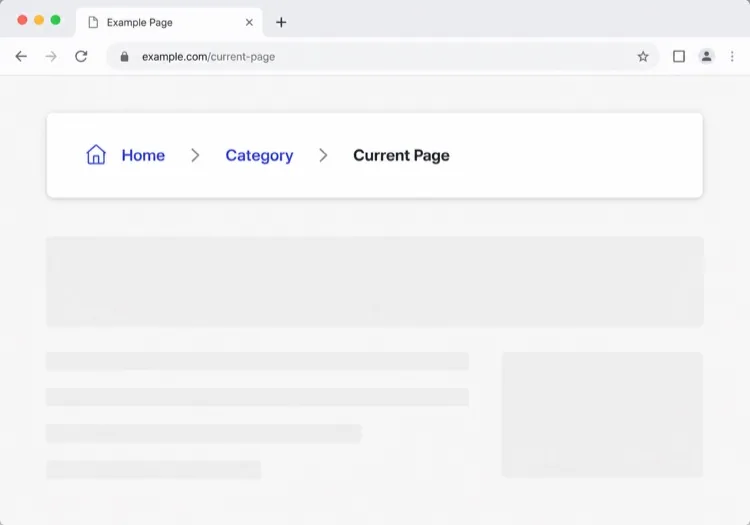
They orient at different scales, so on long pages you want both. A breadcrumb answers 'where is this page in the site' — Support > Billing > Invoices — while a TOC answers 'where am I inside this page' — step 4 of the refund flow. Pagination is the third neighbor and also no substitute: it moves you between documents, and the question you are chasing sits inside one of them. If a page is short enough that a TOC feels redundant, that is a sign the page does not need one — not that breadcrumbs cover for it.

Why does my scroll-spy highlight the wrong section?

Almost always the observation line, not the code. A naive observer flags whichever heading intersects the viewport's top edge, so the highlight races the reader by half a screen and flickers across headings that sit close together. Fix it with the rootMargin insets — pull the top edge down by your header height and the bottom edge up by 60 to 70 percent, so 'active' means 'near the reading line.' One more edge case: a short final section can never reach that line, so force it active when the page hits bottom.

Does a table of contents improve SEO?

Indirectly, and the mechanism has shifted. Google's jump-to-section sitelinks were never guaranteed and have become rare, but stable heading anchors still give search engines and AI answer engines something citable: a deep link to the exact section that answers a query. The user-signal effect is more dependable — raiders who land on the right section stay, while raiders who pogo-stick do not. Generate clean h2 structure and stable slugs for those reasons, and treat sitelinks as weather.

Should the TOC be a sticky rail or inline at the top?

Match it to how the page is read. Sticky right rails suit 3,000-plus-word reference and editorial pieces on viewports wider than roughly 1024px, where the reader keeps reorienting. Inline at the top suits medium articles and every mobile layout — a persistent rail on a phone spends viewport the text needs. The quiet compromise many docs sites ship: sticky rail on desktop, inline collapsible 'On this page' above the body on narrower screens, both rendered from one heading list.

How do I generate the TOC without maintaining it by hand?

Derive it from the rendered headings at build or render time, so it cannot drift from the article. The requirements live on the headings, not the TOC: every h2 and h3 needs a stable slug id that survives edits — human or content-hash slugs, not 'heading-12', which renumbers when a section is inserted. In an SPA, regenerate on route change; otherwise the next article inherits the previous one's entries, which is the most common TOC bug in framework sites.