MeDo

AI CMS Editor Workspace Generator.

Describe the content your team edits and MeDo generates a working editor workspace — a structure tree, a block editor surface, settings and asset panels, a preview toggle, and a publish flow with save status, dirty-state guards, and undoable publishes. A real workspace you can ship behind your own content, not a mockup of a CMS.

CMS Editor Workspace
C

An Editor Is Judged After the Third Hour, Not the First Screenshot

A workspace is measured by a different standard than any public page: what matters once a writer is three hours into a draft is whether their work is safe, whether they know where they are, and whether publishing feels reversible. State safety is the foundation — autosave with a visible timestamp, an unsaved-changes guard before navigation, a publish that can be undone — because one lost draft destroys more trust in a tool than any missing feature. Orientation comes from the structure tree: a long page stops being a scroll and becomes an outline you can jump through, which is why tree selection and editor highlighting must be wired to each other rather than shipped as separate decorations. The publish moment carries the most emotional weight in the whole tool; a confirmation summarizing what is about to change, followed by a toast with Undo, converts a moment of anxiety into a controlled decision. Fake any of these and the workspace is abandoned within a week.

4 قالبًا

قوالب CMS Editor Workspace التي يمكنك توليدها

كل قالب هو طلب حقيقي لا صورة. انسخه إلى أي محرّر ذكاء اصطناعي، أو شغّله في MeDo لتحصل على كود React و Tailwind مباشرة.

SimpleTwo-Pane Minimal

Editor and Live Preview

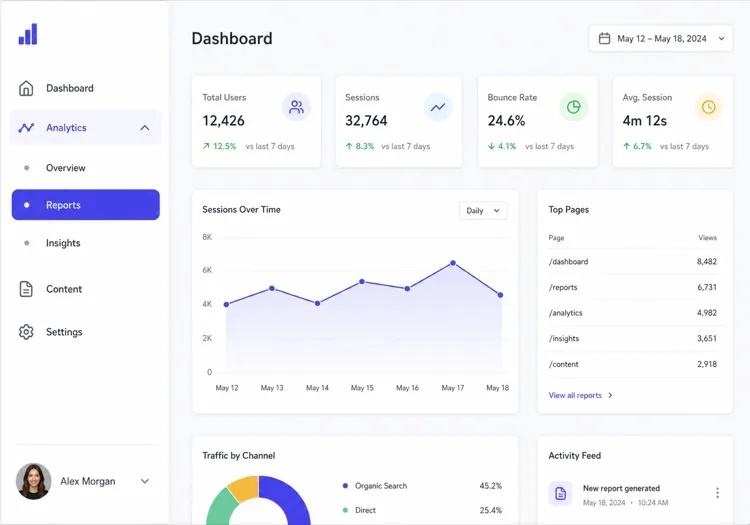
The smallest honest workspace: blocks on the left, the rendered truth on the right. Right for small sites where the document is shallow and preview is everything.

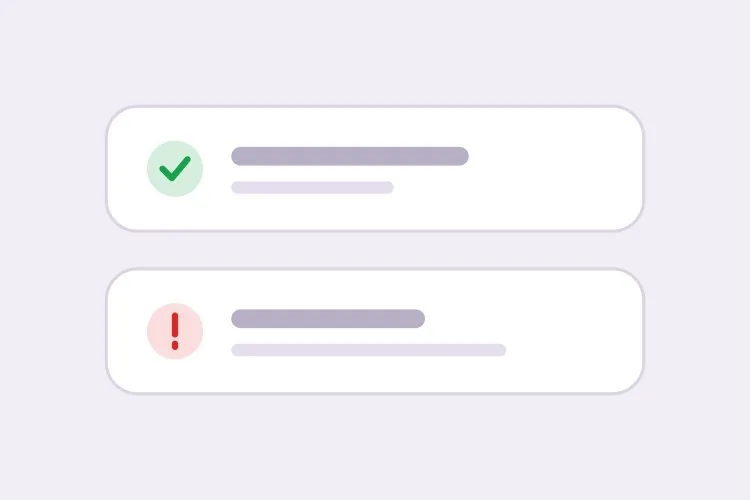
Create a two-pane editing workspace: a slim top bar with the document title, a save-status text reading 'All changes saved' in zinc-400 after autosave and switching to amber 'Unsaved changes' while dirty, and one Publish button. Left half: a single-column block editor — heading, paragraph, image blocks — each with a hover toolbar for move up, move down, and delete. Right half: a live preview rendering the same blocks exactly as the public page would, updating as the editor types, with a device-width toggle at its top. Debounce autosave at two seconds, guard navigation with an unsaved-changes dialog, and confirm publish with a success toast carrying an Undo action.
جرّبه في MeDo
StandardThree-Pane Studio

Tree, Editor, Inspector

The full arrangement from the main prompt: orientation on the left, editing in the middle, fields and media on the right. The default for deep documents.

Create a three-pane CMS workspace for a marketing site: a 260px left structure tree listing the page's sections and blocks with collapse toggles; a center block editor where the selected block shows a hover type label and an inline toolbar for duplicate and delete; and a 300px right inspector with two tabs — Settings holding slug, meta description, and status fields, Assets holding the cover image with an upload progress bar. Selecting a tree node scrolls the editor to that block and flashes a 2px indigo ring. The top bar carries save status, a Preview toggle opening the rendered page in a modal, and a Publish button with a confirm dialog summarizing changes. Autosave debounces at two seconds.

جرّبه في MeDo
Page builderBlock-First Builder

Canvas With a Block Library

When layout is the product: a drag interaction between a block library and a canvas. Heavier to build, and worth it only when editors truly compose pages.

Create a page-builder workspace organized around drag: a full-height center canvas showing the page as stacked, shadowed blocks; a collapsible left drawer holding a library of block types — hero, features, testimonial, pricing, FAQ — each a draggable card with a small preview. Dragging a type onto the canvas inserts it at the hovered position with an indigo insertion line between existing blocks. Selecting a canvas block opens its fields in a right-side panel. The top bar carries undo and redo bound to Ctrl-Z and Ctrl-Shift-Z, a save-status indicator, and Publish with a diff-style confirmation. Keep the block library mounted but hidden so reopening the drawer is instant.

جرّبه في MeDo
EditorialFocused Writing Mode

Distraction-Free Drafting

For long-form teams: chrome reduced to a bar, formatting in a slash menu, an outline behind an icon. The workspace that stays out of the writer's way.

Create a writing-focused editor workspace for long-form content: a single centered text column 640px wide on a quiet zinc-50 background, with all chrome reduced to a slim top bar — document title, word count, save status, and a slim Publish button. Formatting lives in a slash menu: typing a forward slash opens a small popover of block types — heading, quote, list, divider — filterable as the writer types. No structure tree, no side panels; a single outline icon in the top bar opens a dropdown of headings for navigation. Autosave every two seconds with a 'Saved 14:32' timestamp, an unsaved-changes guard on navigation, and a publish flow ending in a toast with an Undo link.

جرّبه في MeDo

كيف تخصّص CMS Editor Workspace الخاص بك

Decide the save model before anything else

Autosave with a debounced timestamp and a dirty indicator, or explicit save with Cmd-S and a status flash — both are legitimate, but navigation needs an unsaved-changes guard either way. Say which model you want in the prompt; it changes the state wiring from the first line, and retrofitting a save model means touching every region.

Scope the structure tree to what selection does

One tree level per content type, and selection means exactly three things: scroll the editor to the block, highlight it, and sync the inspector. The moment a tree grows rename, drag, and permission features it becomes a file manager — a different and much larger product than the orientation rail this workspace needs.

Preview must run the same renderer as publish

A preview that approximates the published page will eventually lie about spacing, fonts, or a conditional block, and editors stop trusting it. Generate the preview from the same component that renders the public page, keep preview state separate from the draft, and add a shareable token link so reviewers do not need accounts.

Make publish a flow, not a button

Confirmation with a change summary, then status feedback, then an undo window or a scheduled slot. A bare button that silently mutates the live site trains editors to fear it, and fear shows up as support tickets asking 'did my change go out?'

من يستخدم مكوّن CMS Editor Workspace

Startup marketing-site editor

Non-developers edit landing pages between releases; the block editor and an honest preview keep design on-rails while copy ships the same afternoon, with publish undo as the safety net.

Docs and knowledge-base editor

Deep, tree-shaped documents with a draft-review-published flow — the structure tree is the primary navigation here, and review states keep legal and support in the loop.

Commerce product content editor

Media-heavy pages where the assets panel works hardest: upload progress, alt-text fields, and per-variant copy sitting beside the canvas so editors never leave the context of the block.

Internal comms and intranet editor

Simple blocks, an approval step before publish, and a deliberately small surface — the workspace optimized for occasional editors who need confidence more than features.

أنماط CMS Editor Workspace لمواقع مختلفة

المكوّن cms editor workspace نفسه، مُهيّأ لنوع الموقع الذي يُنشر عليه.

01 / 04

SaaS Marketing Sites

Non-developers own the landing pages between releases. Blocks and preview keep design on-rails; the publish flow with undo is what lets them move fast without a review queue.

أنماط CMS Editor Workspace وتنويعاته

اختر التنويعة التي تناسب بقية الصفحة، ثم ولّدها.

01 / 04

Light Minimal Chrome

White panes, hairline dividers, color reserved for state — amber dirty, indigo selection, green published. The calm default for teams living in it all day.

CMS Editor Workspace في React و Next.js و Vue و Svelte

React و Next.js و Vue 3 و SvelteKit و Astro أو HTML صِرف — المكوّن cms editor workspace نفسه بست طرق للإضافة.

01 / 03

React Workspace Scaffold

Four regions over three pieces of state: selection is the contract between tree and editor, dirty drives autosave and the guard, and the panel tab is local UI state.

src/components/EditorWorkspace.tsx

const [selectedId, setSelectedId] = useState<string | null>(null)
const [dirty, setDirty] = useState(false)
const [tab, setTab] = useState<'settings' | 'assets'>('settings')

return (
  <div className='grid h-screen grid-rows-[auto_1fr]'>
    <TopBar dirty={dirty} onPublish={publish} />
    <div className='grid grid-cols-[260px_1fr_300px] overflow-hidden'>
      <StructureTree blocks={blocks}
        selectedId={selectedId} onSelect={setSelectedId} />
      <BlockEditor blocks={blocks} selectedId={selectedId}
        onSelect={setSelectedId}
        onChange={() => setDirty(true)} />
      <Inspector tab={tab} onTab={setTab} block={selected} />
    </div>
  </div>
)

كيف تضيف CMS Editor Workspace إلى مشروعك

أربع خطوات، من اختيار قالب cms editor workspace إلى إطلاقه في الإنتاج.

01~20min

Model the Document Before the Interface

List the block types and fields a document contains — heading, paragraph, image, pricing table — and decide which fields live on the canvas versus in settings. The tree, the editor, and the inspector are all projections of this model; get it wrong and every pane is wrong.

02~5min

Choose the Pane Arrangement

Two panes when preview matters most, three when documents are deep enough to need a tree, a builder canvas when layout is the product, focused mode when the content is prose. Name the arrangement in the prompt.

03~2min

Generate the Workspace

Describe the regions, the save model, and the publish flow in one prompt. MeDo generates selection, dirty state, panels, and guards wired as regions rather than scattered widgets.

04~10min

Rehearse the Failures

Navigate away with unsaved changes, kill the network mid-autosave, publish and undo, open preview while dirty. Editors trust a workspace through its failure states, not its happy path.

أسئلة شائعة حول CMS Editor Workspace

Is this a full CMS?

No, and keeping that boundary is what makes it buildable. This is one workspace screen: the editing regions, their state flow, and the publish moment. User management, multi-site information architecture, media libraries at scale, and localization pipelines are CMS-product territory. You generate the workspace and wire it to whatever stores your content — a database, a git-backed folder, a headless API — which is exactly the part you want to own.

Should the editor autosave or use explicit save?

Autosave for prose-heavy editing where a lost paragraph is the disaster scenario; explicit save where partial drafts must never become visible to other systems, such as commerce fields feeding a live storefront. Most real workspaces end up hybrid: debounced autosave to a draft, an explicit publish to go live. Whichever you pick, the dirty indicator and the navigation guard are non-negotiable.

How should preview work?

Same renderer as the published page, fed by the draft instead of the live document — anything else is a screenshot with delusions. Keep preview state separate from editing state so refreshing loses nothing, and issue tokenized share links for reviewers. If preview needs a backend build step, show that cost honestly with a building indicator rather than serving a stale render.

What states must the workspace handle?

The document lifecycle: draft, reviewed, published; the save lifecycle: dirty, saving, saved with timestamp, save-failed with retry; and the publish lifecycle: confirming, publishing, published with undo window. Editors judge the tool almost entirely on these states — a calm amber 'Unsaved changes' and a working retry after a failed save do more for adoption than any block library.

Can the non-developers on my team actually use what MeDo generates?

That is the point of the arrangement: the workspace is the editors' product, and developers wire persistence and permissions behind it. Generate the surface first, click through the full flow — edit, save, preview, publish, undo — and only then connect your storage. Teams that reverse the order end up designing an admin panel instead of an editor.

بناء cms editor workspace الخاص بك الآن.

جرّب أي أمر — مجاني وبدون تسجيل.